Substance 3D Painter で、セルルックなキャラクターをペイントする場合、BaseColor 以外のチャネルはあまり使わないので削除する。必要になった時に追加すれば良いと思う。
ウィンドウ > ビュー > Python コンソール を開き、以下のスクリプトを実行する。
def delete_channels():
    import substance_painter
    texture_sets = substance_painter.textureset.all_texture_sets()
    type = substance_painter.textureset.ChannelType.BaseColor
    format = substance_painter.textureset.ChannelFormat.sRGB8
    for texture_set in texture_sets:
        stack = texture_set.get_stack()
        channels = stack.all_channels()
        for channel in channels:
            stack.remove_channel(channel)
        stack.add_channel(type,format)

delete_channels()
関数をまとめて入力して実行した後、「delete_channels()」を入力して実行する。

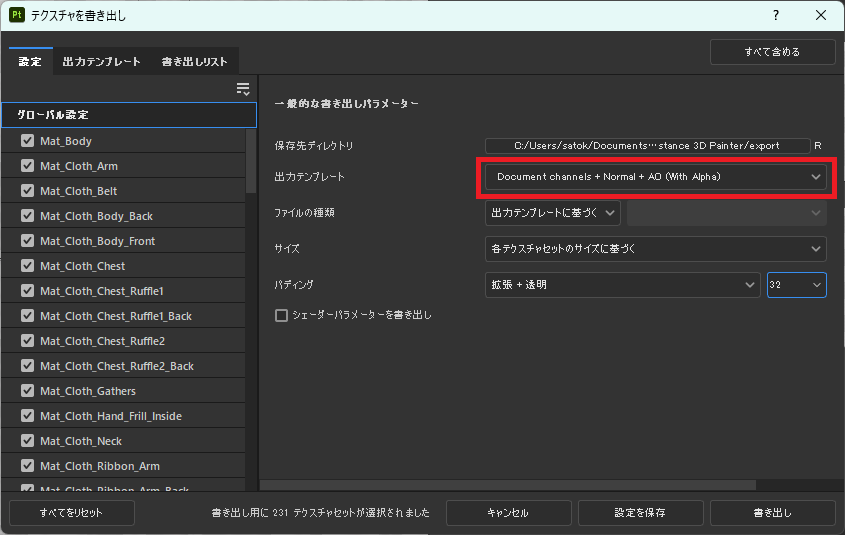
テクスチャを書き出す際は、Document channels + Normal + AO (With Alpha) を使用する。存在しないチャネルは書き出されないため、テクスチャは、Base Color のみ出力される。また、塗っていない箇所は透過される。ただし、BaseColor 以外のチャネルが存在しない旨のエラーログが大量に出力されるので、気になる場合はカスタマイズした方が良いかもしれない。
以上